
This article explains how the Raw Material Picking Workflow operates within Sync.
It outlines the three key stages—Requisition, Picking, and Despatch—including what each stage does, who is responsible, and when movements can or cannot be changed.
TABLE OF CONTENTS
- Overview
- Why Raw Material Picking Matters
- Phases of Picking/ Despatch
- When Changes Can Be Made
- Key Takeaways
- Related Next Steps
Overview
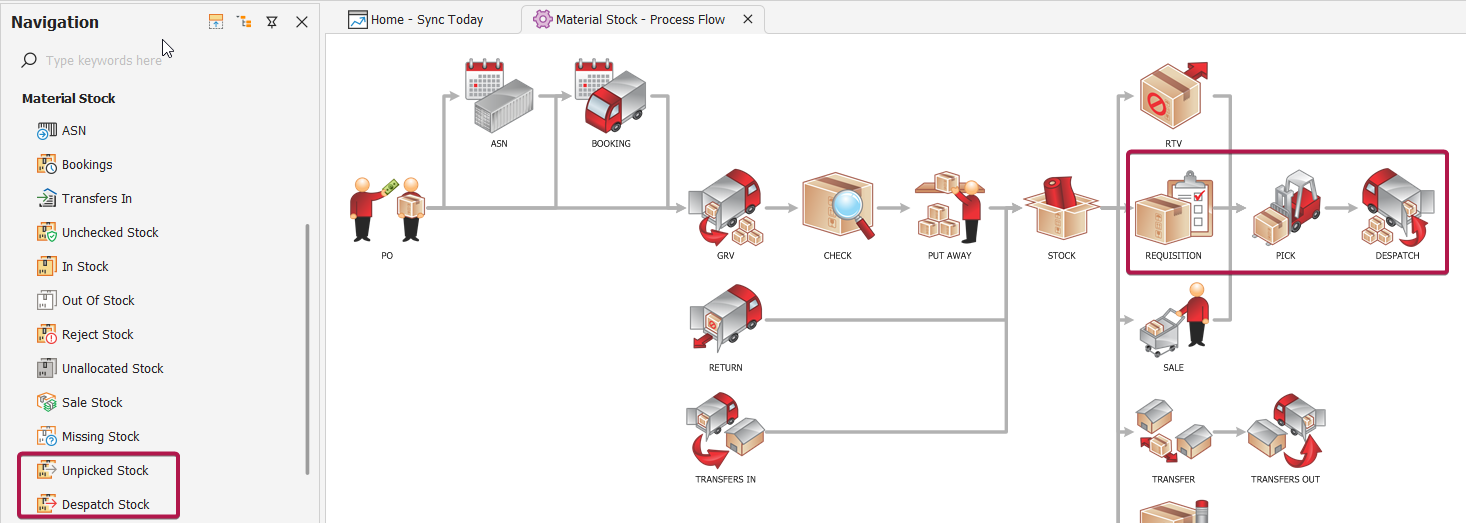
Raw Material/ Stock Picking manages the movement of stock from a warehouse to a production floor, CMT or other external service provider.
It ensures that the correct materials are issued to the correct job in the correct quantities at the right time.
The workflow is built around three sequential events:
Requisition – What materials are needed & when
Picking – Physically collecting the required materials from the warehouse
Despatch – Officially issuing the stock to internal teams/ dispatching to external CMT
These steps maintain accurate inventory levels, support production planning, and strengthen traceability throughout the manufacturing lifecycle.
Why Raw Material Picking Matters
Effective picking ensures:
Production (internal or external) receives the correct materials
Inventory accuracy is maintained
Stock control
Waste, shrinkage and misallocation are minimized
Full traceability for costing, WIP, and recon
Smooth and uninterrupted manufacturing workflow
It also allows procurement and stock controllers to see which material are available, or already issued to production.
Phases of Picking/ Despatch
Step 1: Requisition
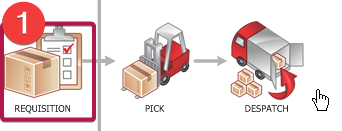
A Requisition is the formal request for raw materials required to manufacture a job/style or carry out a production process.
What the Requisition Contains
Job or work order reference
List of required materials (from BOM or manual selection)
Quantities requested
Required date
Warehouse or location where the materials should be picked
Optional: notes, instructions, batch/roll requirements
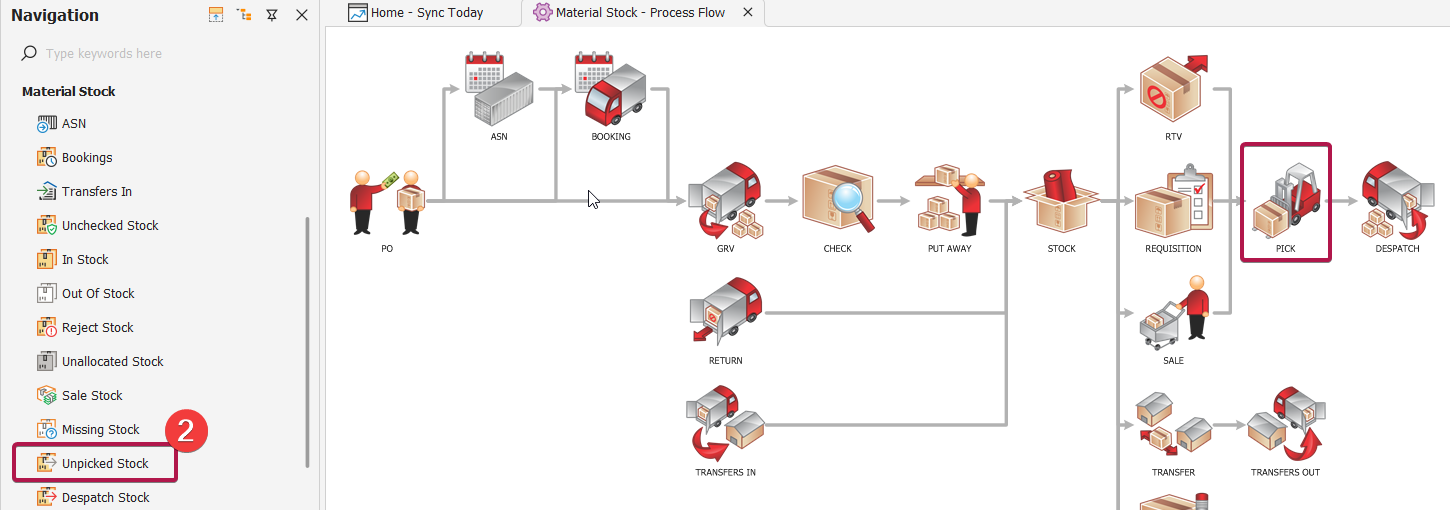
Once the requisition has been created it can be located in the Material Stock -> Unpicked Bin
Step 2: Picking
Picking is the physical process of locating and collecting the required materials from the warehouse.
Picking Tasks Include
Viewing the requisition list assigned to warehouse staff
Locating items using bin locations, batches, or roll numbers
Picking correct quantities & recording actual picked amounts
Capturing variances (e.g., shortages)
Scanning barcodes or roll IDs (if using mobile warehouse)
Printing stock labels for picked/ remaining stock
*Stock can be picked manually in Sync ERP, via Auto-Pick or by scanning
NOTE: Part picks are not permitted. Delete the pick ticket and recreate with correct quantities to account for any variances
Picking Documents/Outputs
Sync generates a Stock Picking List containing:
Items required
Quantities
Indicates where rolls need to be split (Scissor Icon)
Warehouse/bin locations
Batch/lot/roll numbers
Any special handling instructions
Required date
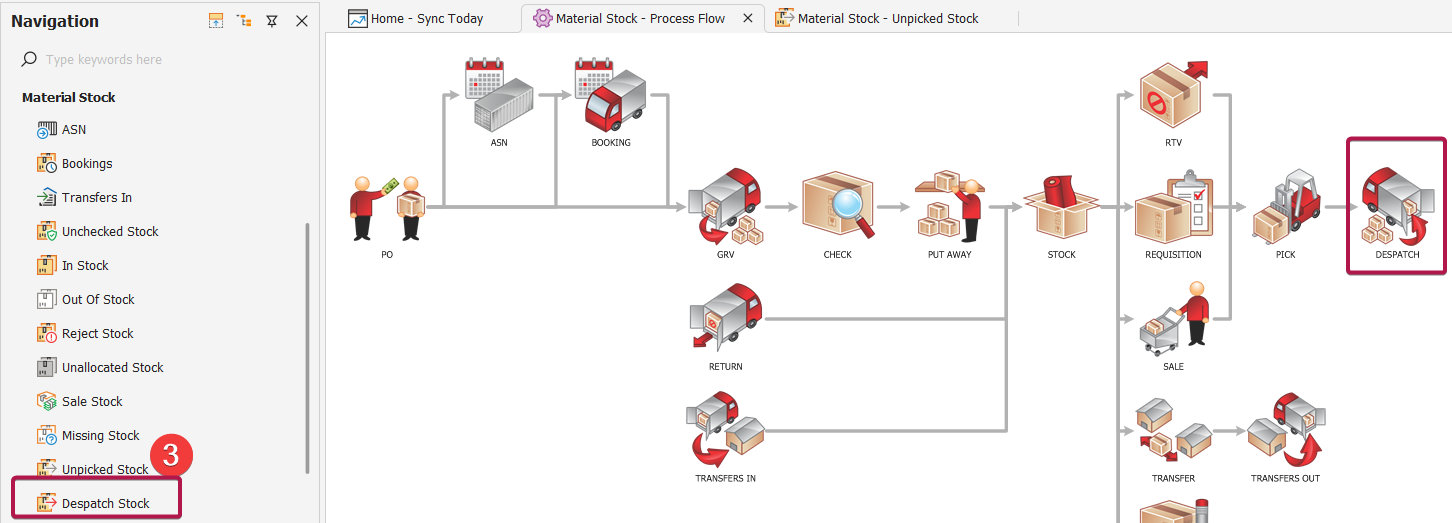
Once the pick has been completed it can be located in the Material Stock -> Despatch Bin
Step 3: Despatch
Despatch is the final confirmation that the materials have been issued from the warehouse and transferred to production/ external service provider/ CMT.
What Happens at Despatch
Picked quantities are checked and confirmed
Stock levels in the warehouse decrease
Materials are allocated or consumed against the job
WIP (Work In Progress) increases
Materials become available at the production location
Despatch Documents/Outputs
Sync generates a Despatch Note containing:
Items picked
Quantities
Batch/lot/roll numbers
Any special handling instructions
Despatch date
Delivery address
Once the despatch has been completed it can be located in the Material Stock -> Delivery Notes
When Changes Can Be Made
Changes Allowed (Before Pick)
To make any changes you will be required to delete the pick ticket and recreated with corrected details.
Changes Not Allowed (After Pick)
Once despatched:
Quantities cannot be edited
Items cannot be replaced or removed
Reversals require a Stock Return
Pick lists & delivery notes are read-only
Costs and consumption records are finalised
This maintains the integrity of WIP costing and inventory accuracy.
Key Takeaways
Raw material picking consists of Requisition → Picking → Despatch
Each stage is designed to maintain accuracy and traceability
Requisitions ensure production gets exactly what it needs
Picking controls physical movement inside the warehouse
Despatch finalises the transfer and locks financial/stock records
Proper workflow reduces production delays and inventory errors
Related Next Steps
Depending on your workflow, the next actions after despatch may include:
Handling returns of unused materials
Managing WIP reporting
Generating variance reports between requested vs. issued quantities
Triggering procurement & picking for shortages
Receipt of the finished garment after production