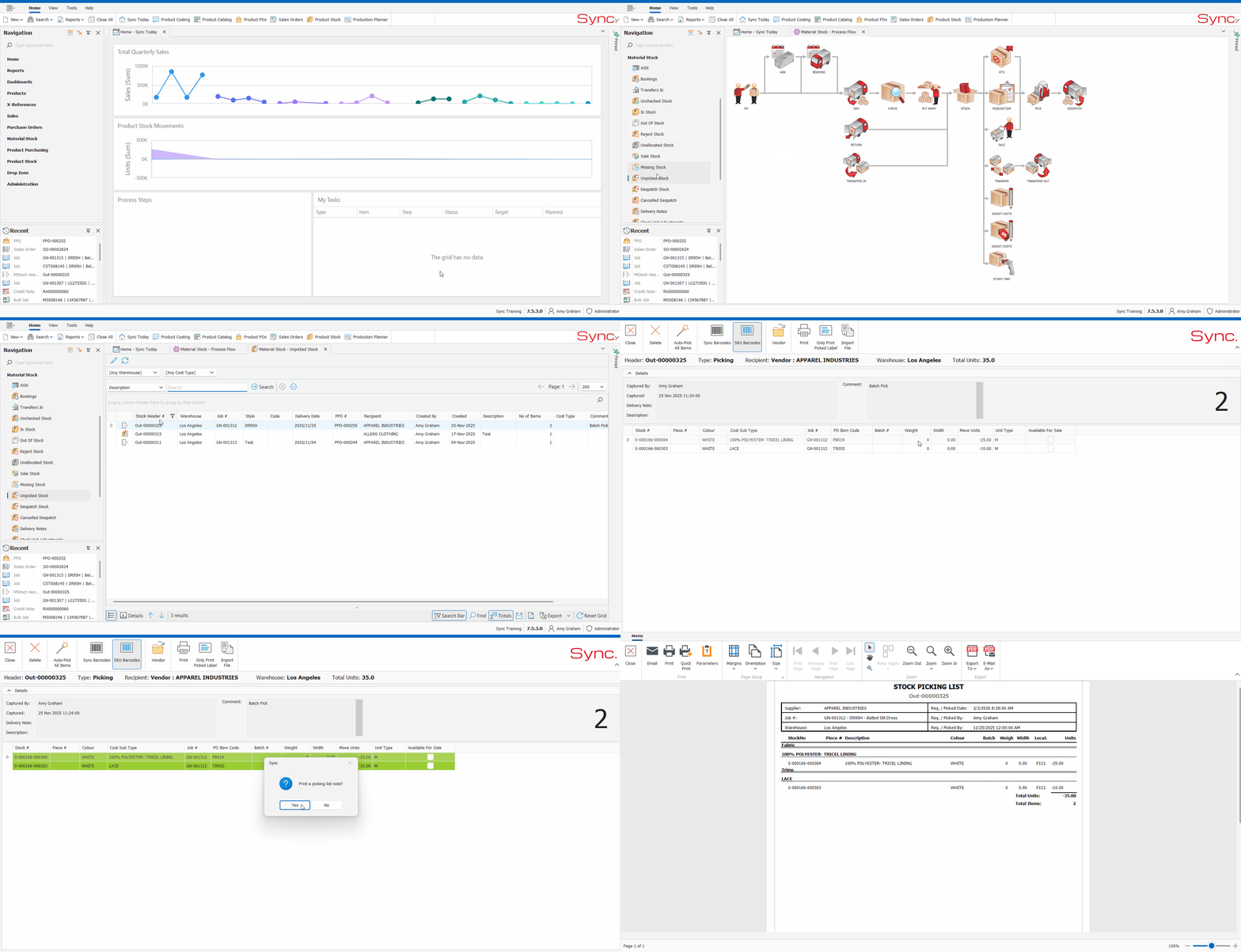
The article outlines the steps to pick a raw material requisition/pick ticket.
You will need to first create the Material Stock requisition before picking can take place.
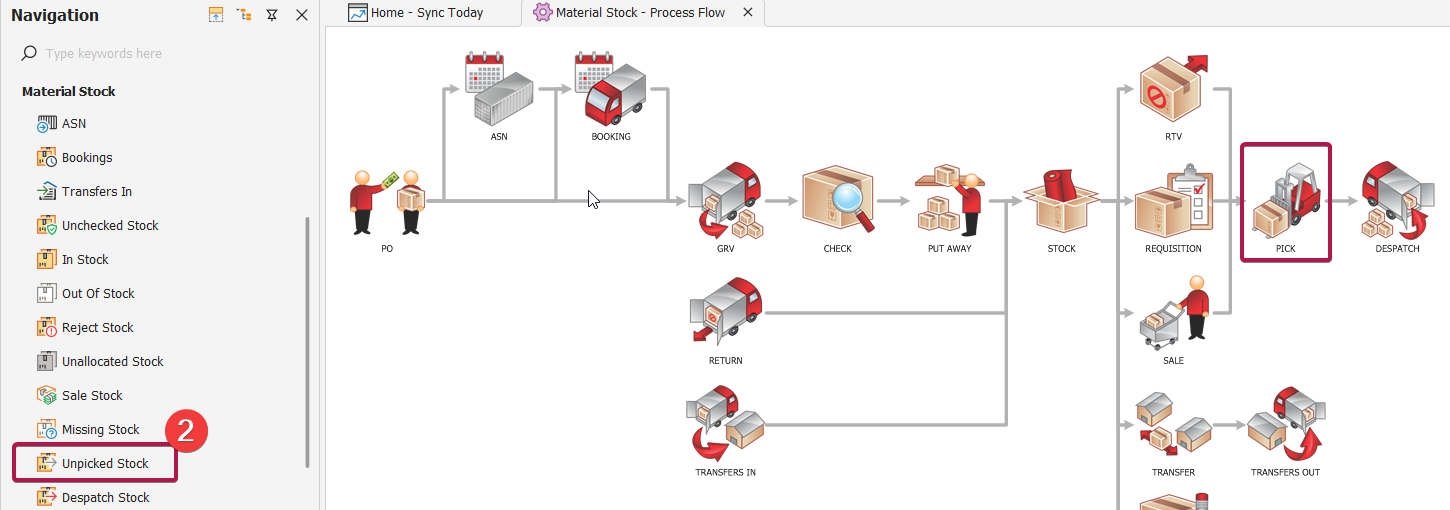
FOLLOW STEPS BELOW:
1. In Navigate Pane, select 'Material Stock'
2. In Material Stock - Process Flow, select 'Pick' OR in Navigation click Material Stock, Unpicked
3. Search for and select stock header to be picked
4. Double click to open
5. Scan units or click 'Auto-Pick* All Items'
6. Click 'Yes'
7. Print Stock Picking List if required.
*Auto pick is role permission based
Next Steps:
NB. For a quick tutorial watch below