
The article outlines the steps on how to navigate to and view the Help Files in Sync.
FOLLOW STEPS BELOW:
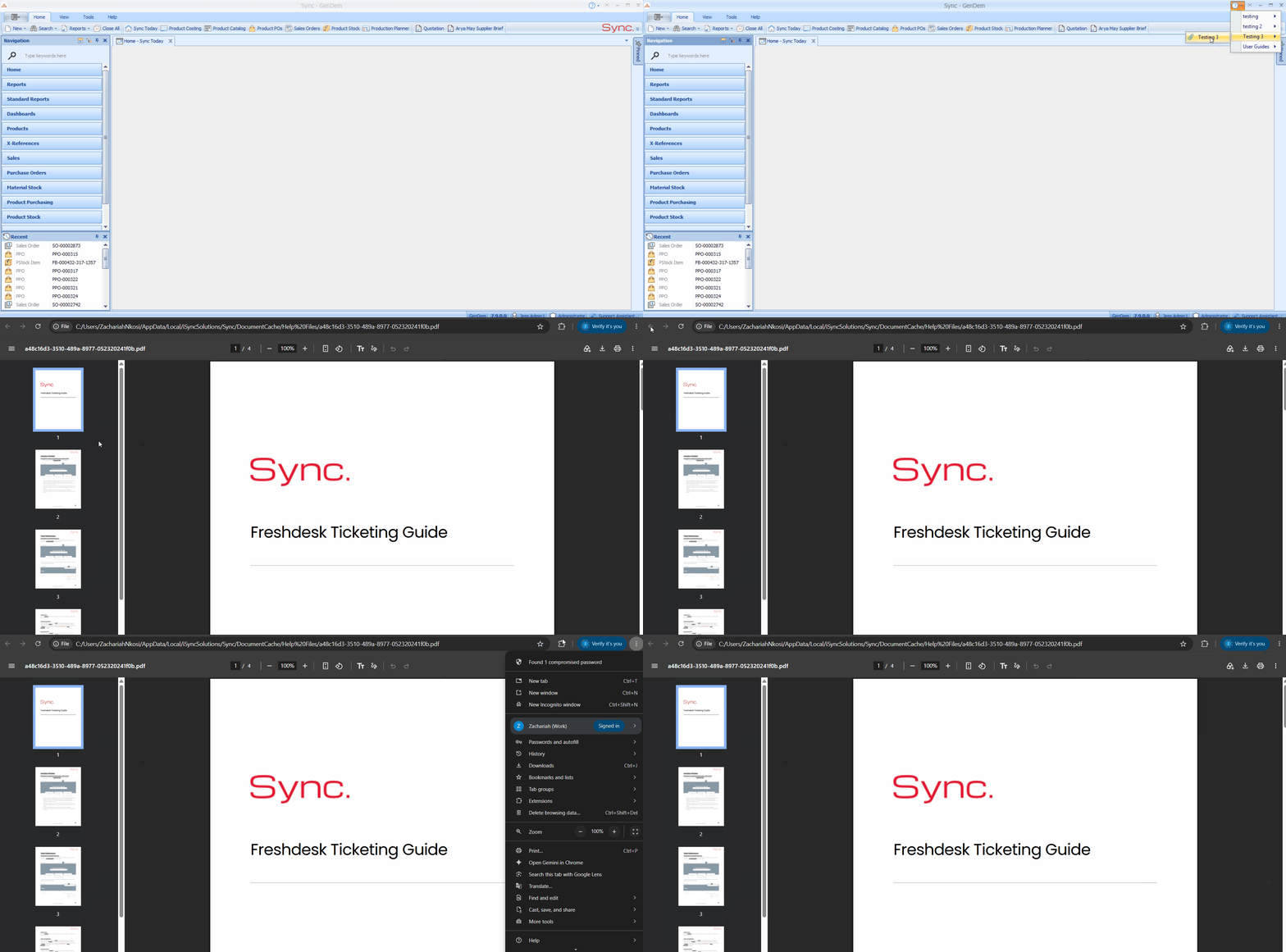
1. Log into Sync.
2. Click the Help icon (question mark with a drop-down arrow) in the top-right corner of the Sync window, next to the minimise and close buttons.
3. A menu will open showing the help file categories (e.g. Design, Finance, General, Production).
4. Hover over or click a category to see the help files available under it.
5. Click a help file to open it. The file will open separately in your web browser.
NB. For a quick tutorial watch below
Important Notes:
- The help files and categories you see are uploaded and managed by your Sync Admins. If a file is missing or outdated, contact your Sync Admin.
- The Help Files menu is separate from the AI Support Assistant, which answers questions using iSync's support articles.