
The article outlines the steps on how to add new help files in Sync
FOLLOW STEPS BELOW:
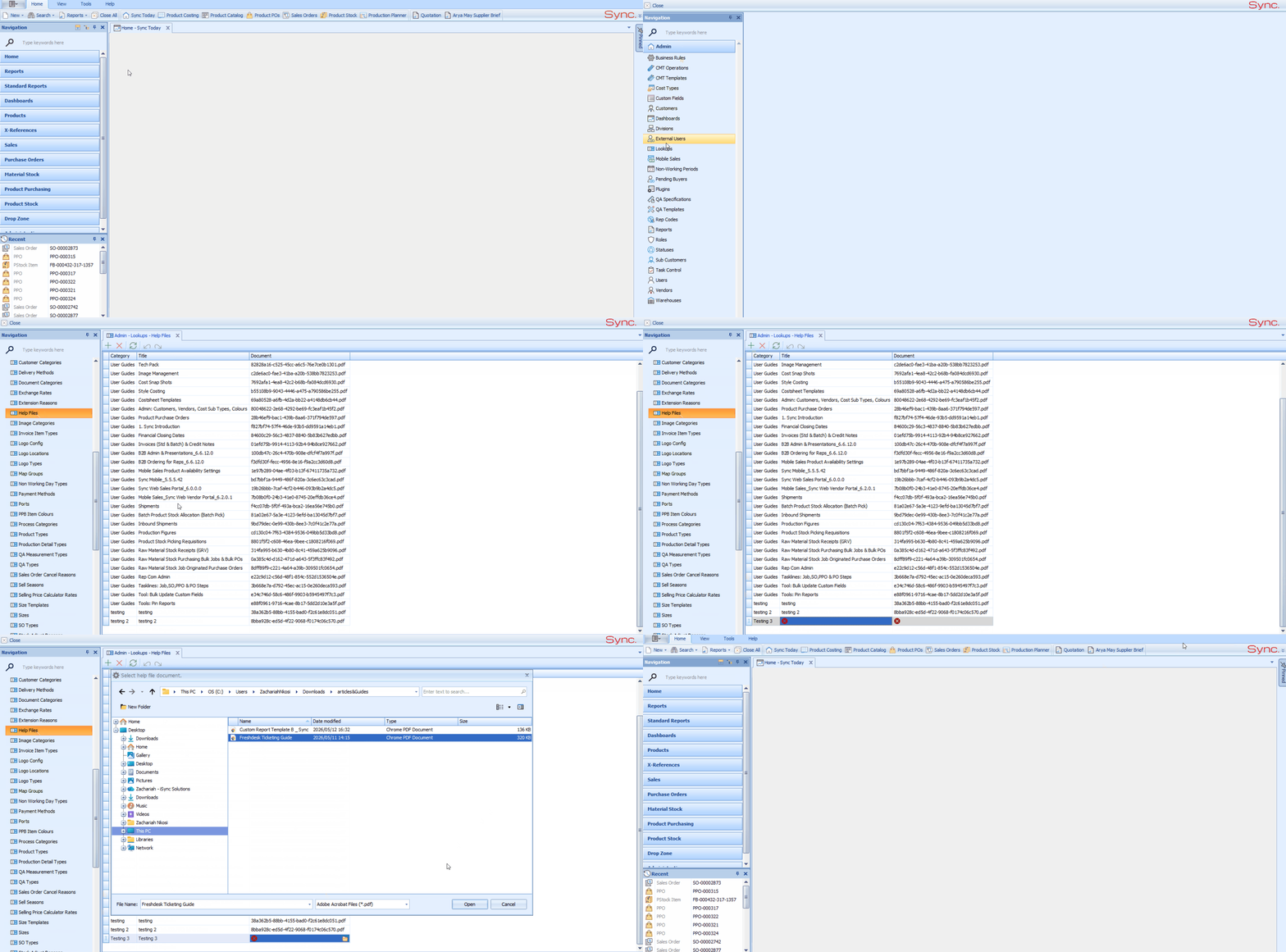
1. Sign into the Sync Admin portal.
2. Go to Lookups and click on Help Files.
3. On the Help Files tab, add a new help file and complete the following:
- Category: the menu heading the file should appear under (e.g. Finance).
- Title: the name users will see in the Help menu.
- Document: click the upload icon and select the file to upload.
4. Save the record, Log out and back into sync. The file will now be visible under the selected category in the Help menu on the main Sync screen, refer to FAQ How to view helpfiles in sync
NB. For a quick tutorial watch below
Important Notes:
- Only Sync Admins with access to the Sync Admin portal can add help files.
- Use clear, descriptive titles so users can easily find the right file.
- When a process changes, replace or remove the old file so users don't follow outdated steps.
- For how users view the help files, refer to the article: Accessing Help Files in Sync.