
This feature is only available in Sync V7.8 and later and is controlled by business rule & user permissions.
AI-Powered PO to Sales Order Conversion
Turn a customer purchase order into a sales order automatically, with AI
Feature guide • Sync ERP
Sync ERP can now read a customer's purchase order and automatically build the matching sales order for you, with no manual re-keying of items, sizes or quantities. Review the AI's work, confirm the product matches, and complete the order in a few clicks.
At a Glance
| Setting | Detail |
| Accepted formats | PDF and Excel purchase orders |
| Smart matching | AI suggests the 5 closest product matches per line for the user to confirm |
| Access | Permission-based. Enabled per user by a Sync administrator |
How It Works
1. Access is granted
A Sync administrator enables the PO to SO Importer for a user under User > AI Modules. The feature is off by default until it is granted.
2. Launch the importer
From the Sync ribbon, go to New > Sales Order > Import from PO and select the customer's PO file.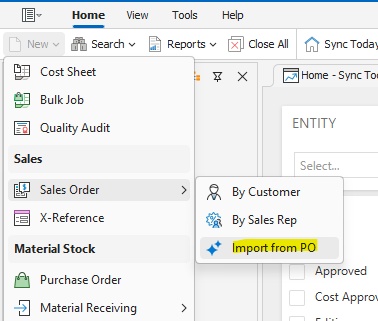
3. AI reads the PO
The document is uploaded and parsed automatically. Optional filters let you set season, division, or group sizes to one item line.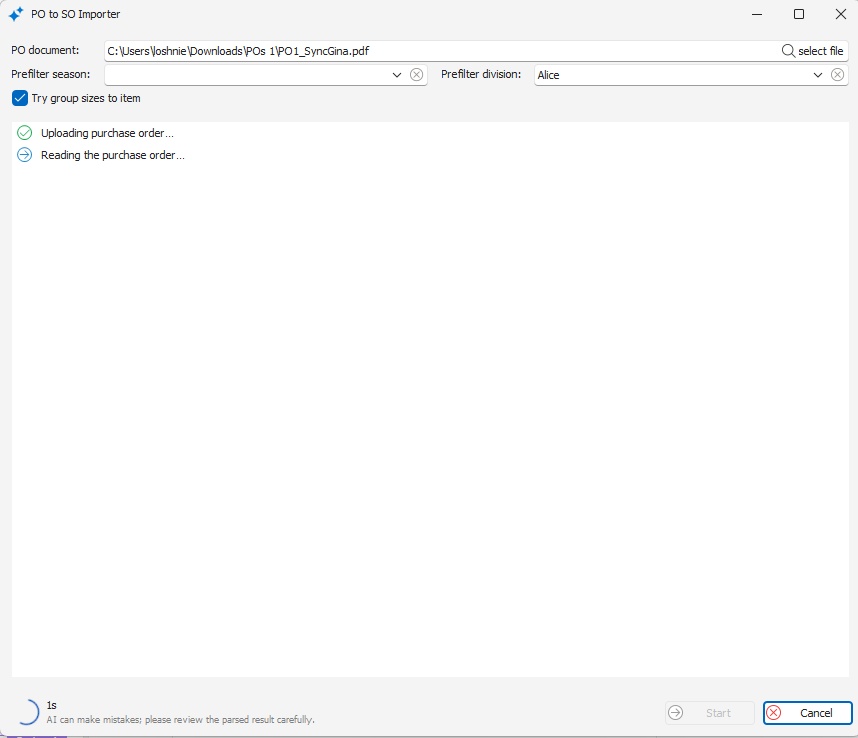
4. Review and complete
Select the customer and sales rep, then confirm each line's product match from the AI's suggested options. Click Complete to generate the sales order.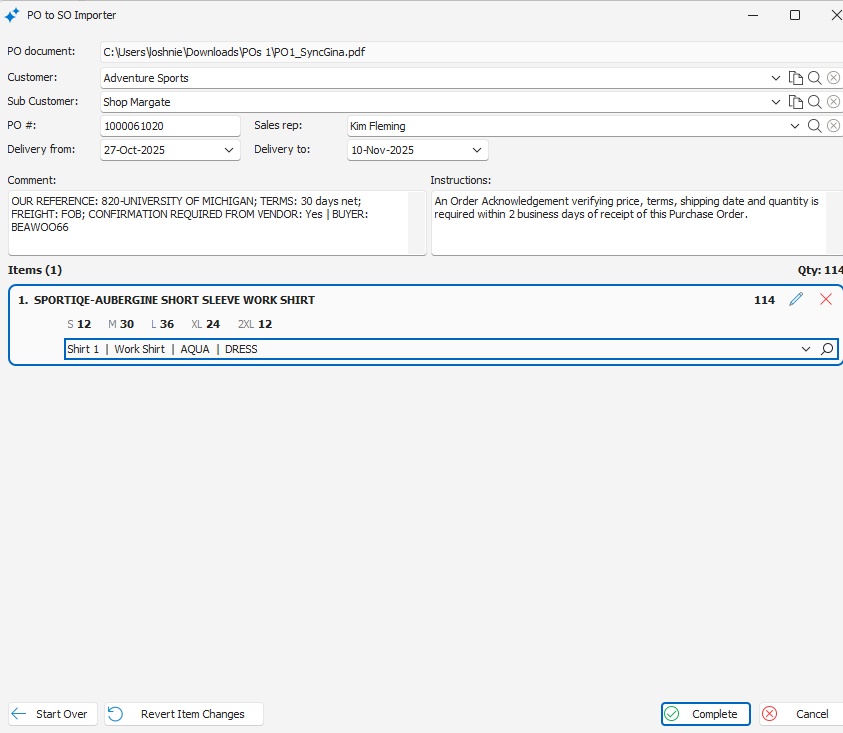
Sample Purchase Order
A typical customer PO. Line items, sizes, quantities and delivery dates are extracted directly from the document, whether it arrives as a PDF or an Excel file.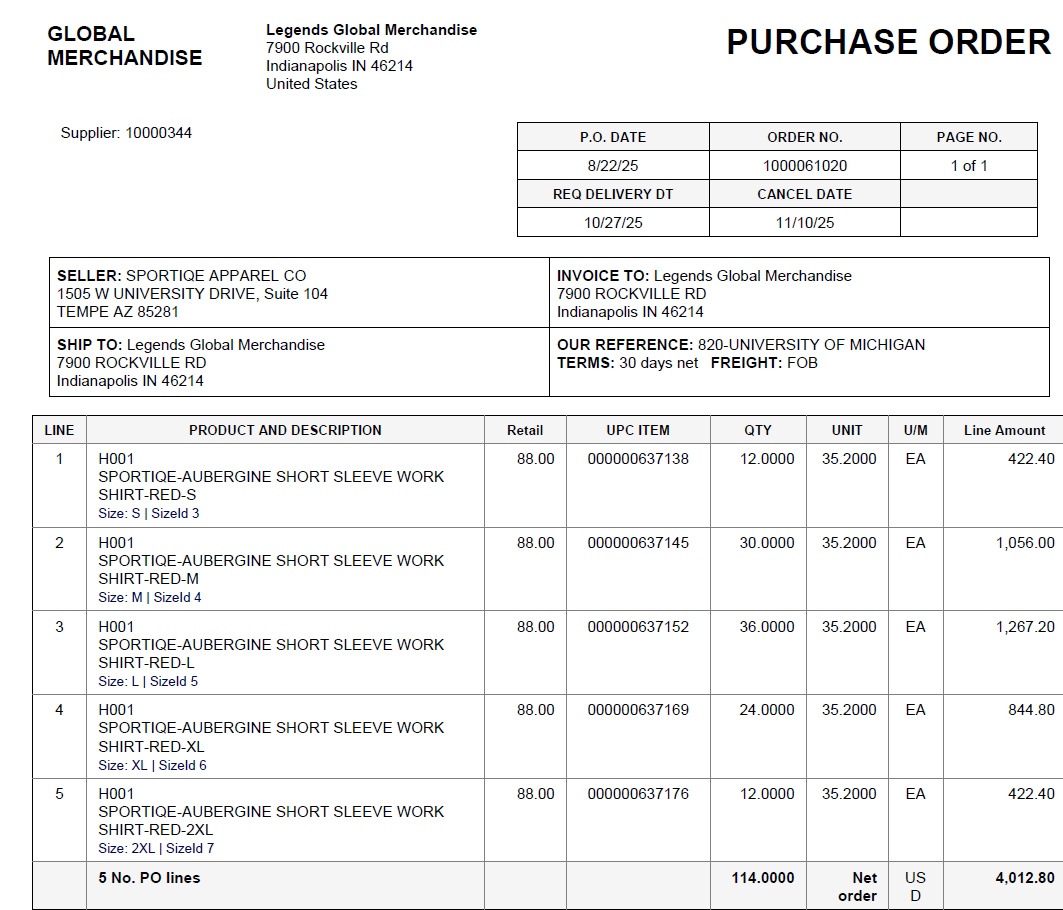
Good to Know
Access control: the feature must be switched on per user by an administrator before it appears in that user's Sync menu.
⚠ AI review required: Sync flags parsed results for review. Always confirm the customer, product matches, and quantities before clicking Complete.
⚠ Business rule dependency: order dates are only handled by this feature when default_sales_order_date_mode is set to either Job dates mode or Sales order header dates mode.
Setup required: some data onboarding is needed before go-live. Your iSync representative will confirm what applies to your account.