
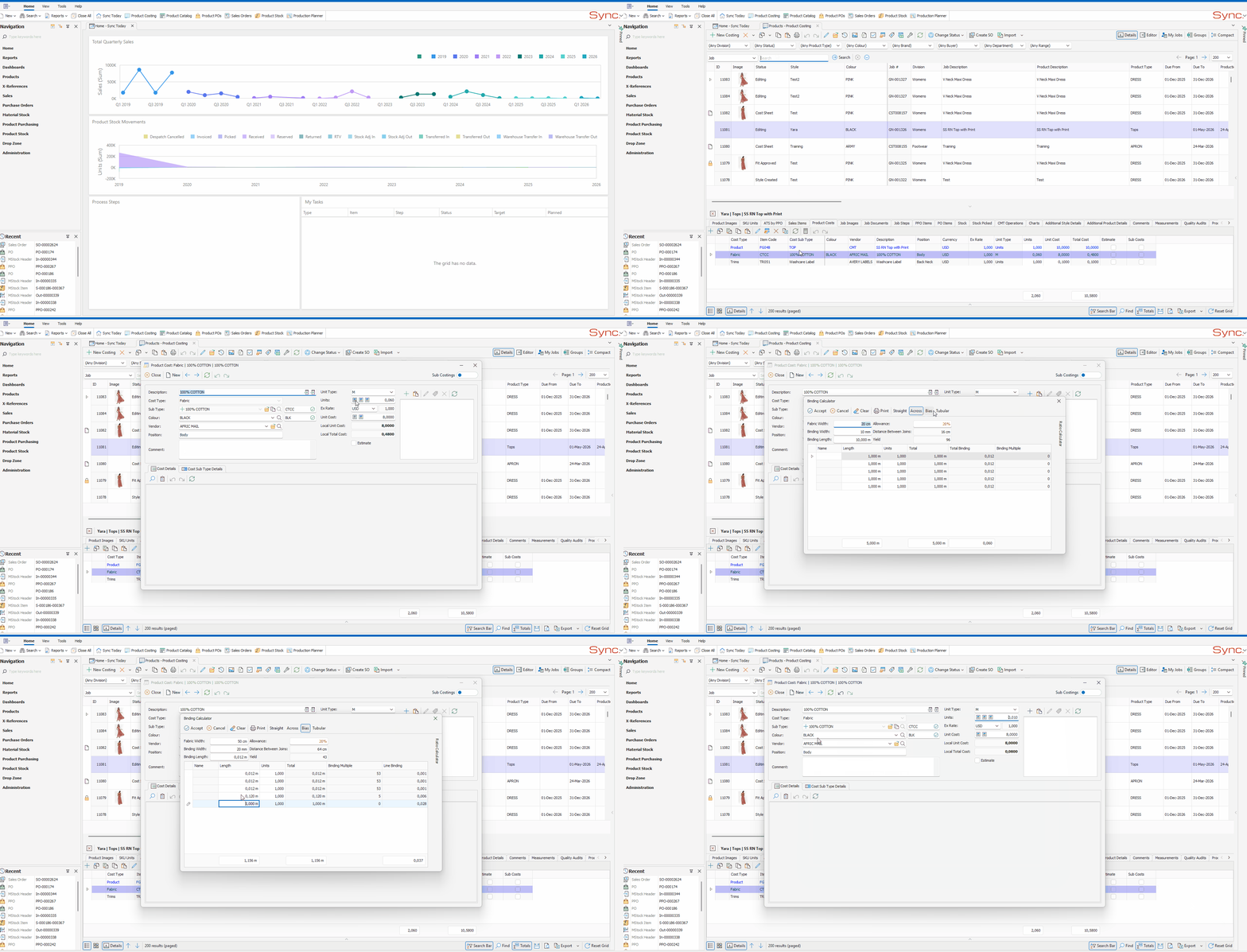
The article outlines the steps to use the Binding Calculator to calculate the fabric meterage required to produce binding for a garment.
FOLLOW STEPS BELOW:
- Navigate to the Product Costs for the required product
- Click on the Binding Calculator icon
- Ensure the correct binding type is selected (Straight, Across, Bias, or Tubular)
- Enter the Fabric Width (cm), Binding Width (mm), and Binding Length (mm), note that Binding Length does not auto-populate and must be entered manually
- Review the Yield, this is calculated automatically based on the binding type:
Binding Type Yield Formula Straight / Tubular (Fabric Width − 4) / (Binding Width × 0.1) (Rounded to the nearest whole number) Across (100 − 4) / (Binding Width × 0.1) (Rounded to the nearest whole number) Bias Looked up from a pre-configured yield table based on Binding Width
For Across and Bias binding types, a CM Between Joins value is also calculated:Binding Type CM Between Joins Across Fabric Width − 4 Bias Fabric Width × 1.275 (Rounded to the nearest whole number) - Add each binding application as a length line, entering the Length (m) and Units for each
- Review the Total column per line, this is the total cut binding length required (Length × Units). This is not the fabric meterage.
- Review the Total Binding column per line, this is the fabric meterage (fabric rating) required to produce that binding line, calculated as follows:
Binding Type Total Binding Formula Straight / Tubular (Line Total + (Line Total × (Allowance / 100))) /Yield Across / Bias ((1/Yield) / (Binding Multiple)) × (1 + (Allowance / 100))
For Across and Bias binding types, a Binding Multiple (per length line)value is also calculated:Binding Type Formula Across / Bias (CM Between Joins / 100) / Length (This division ignores decimals eg. 102/100 = 1)
For Bias binding types, a Line binding (per length line)value is also calculated:Binding Type Formula Bias ((1/Yeild)/Binding Mulitple)*1.2 - The totals row at the bottom gives the combined fabric meterage for the entire garment, this is the fabric rating which will populate the product cost units
- Click Accept to populate the fabric rating onto the cost line
NB. For a quick tutorial watch below
Field Definitions
Header Fields (apply to all binding types)
| Field | Description |
|---|---|
| Fabric Width | The width of the binding fabric, in centimeters (cm). |
| Binding Width | The finished width of the binding strip, in millimeters (mm). |
| Binding Length | The length of each binding strip, in millimeters (mm). This is used in yield calculations and must be entered manually — it does not auto-populate. |
| Allowance | A waste/tolerance factor applied to the total. The default allowance is configured per binding type. |
| Yield | The number of binding strips that can be cut from a single width of fabric. Calculated differently per binding type . |
Line (Length) Fields
| Field | Description |
|---|---|
| Name | A label for each binding application (e.g. neckline, armhole, hem). |
| Length in m | The length of binding required for that application, in meters. |
| Units | The number of times that binding application appears on one garment (e.g. 2 for left and right armholes). |
| Total (in m) | Length in m × Units — the total binding length required for that application. |
| Total Binding | The fabric meterage required to produce that binding. Formula varies by type. This is the fabric rating |