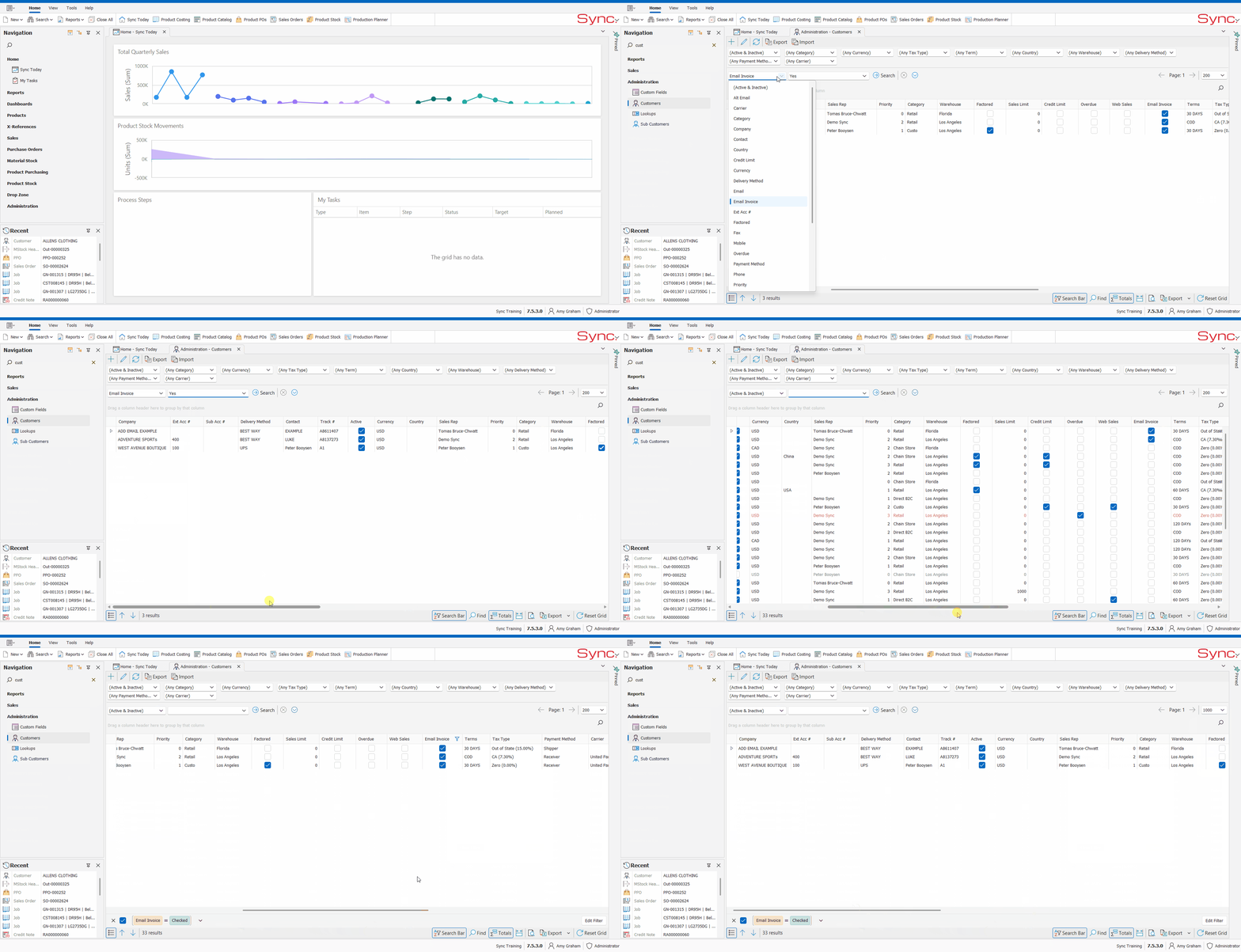
The article outlines the steps to view/ search for the list of customers in Sync admin that have the email invoices checked.
Customers with this checked will have their Sync invoice automatically emailed to the email addressdress specified on the customer.
*Auto emailing must first be configured by Sync support.
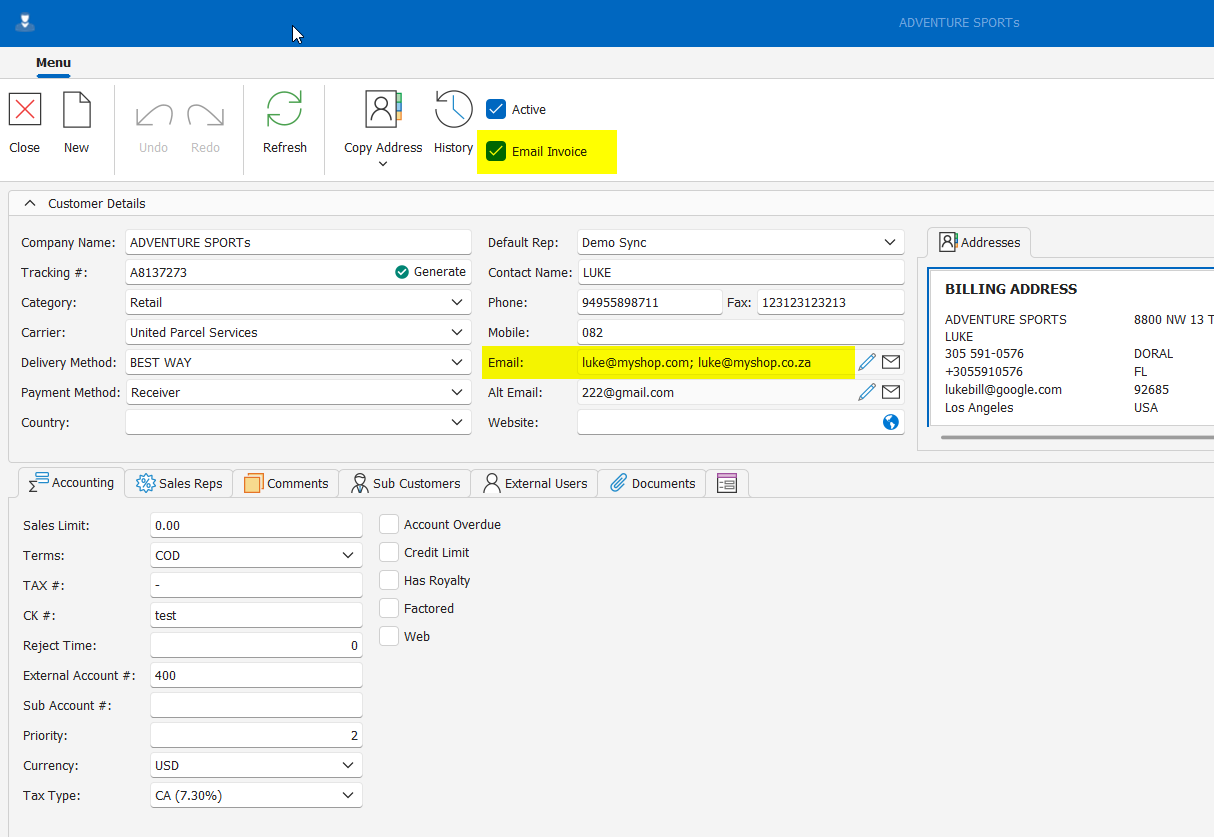
FOLLOW STEPS BELOW:
1. Open up Customers in Sync admin
2. Scroll to the right and filter on Email Invoice* Select Email invoice from the main search parameters
OR
3. Scroll to the right and filter on Email Invoice*
*This will only filter on the search results shown on the page- adjust search results to a higher number to retrieve the full list (up to 1000)
NB. For a quick tutorial watch below