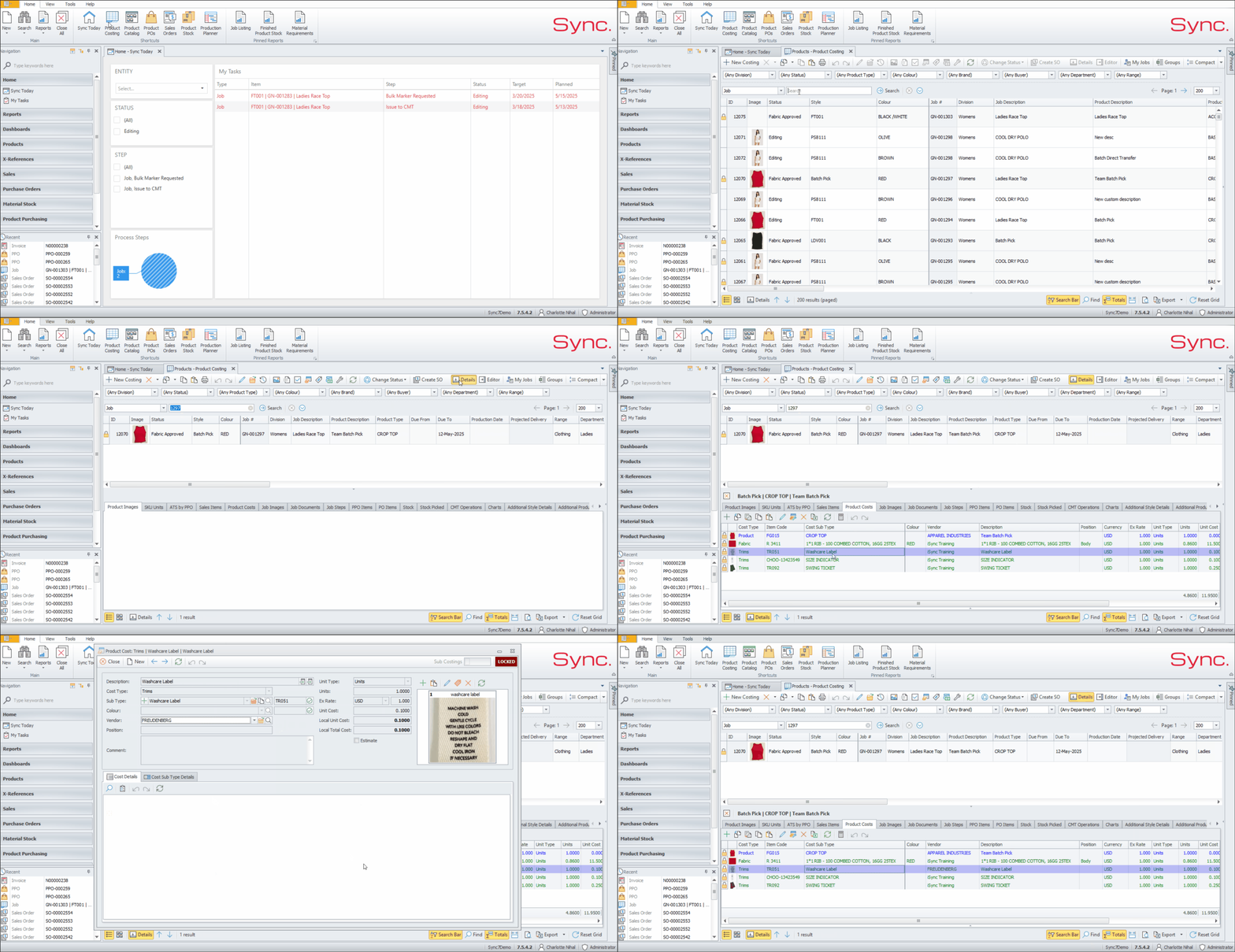
This article outlines the steps to amend a Vendor within the Product Cost
FOLLOW STEPS BELOW:
- Within Product Costing, search for the relevant Job/Style
- Click on the Job/Style or Product you need to add amend the Vendor for
- Click on ‘Details’
- Click on the ‘Product Cost’ Tab
- Double click on the product cost
- Change Vendor within the Vendor Field
NB. For a quick tutorial watch below