
Open Windows Search bar and type in "Control Panel" and open the control panel for windows.
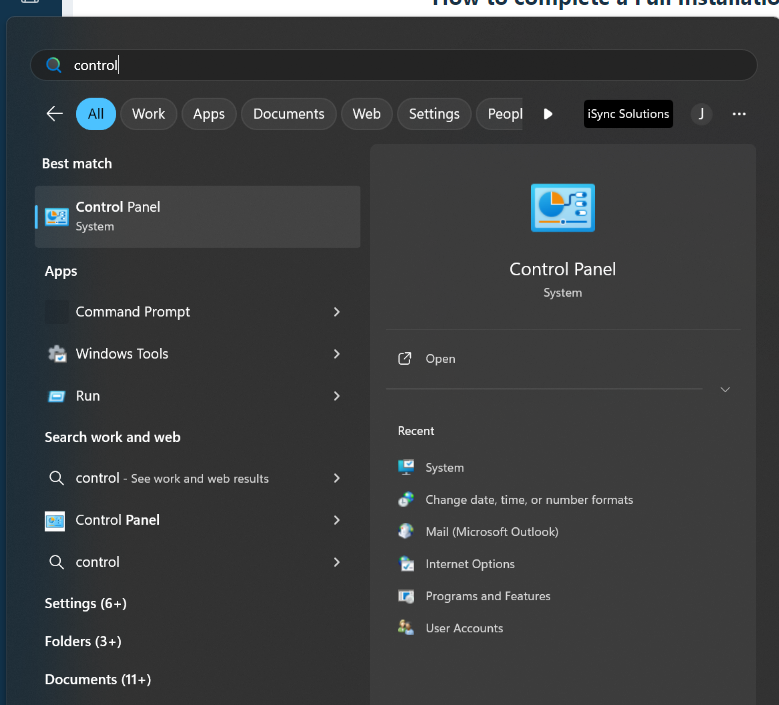
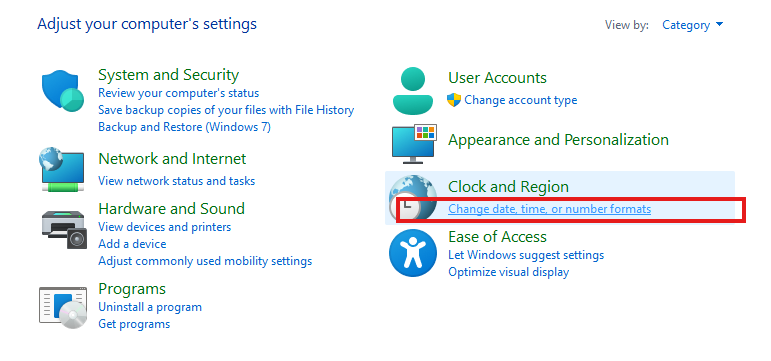
Open Clock and Region->Change date, time or number formats in Control Panel.
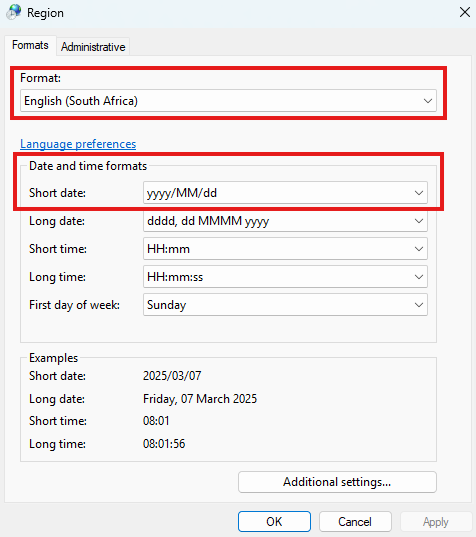
Please ensure the Language is set to English (South Africa) and the Short Date is set to yyyy/MM/dd.
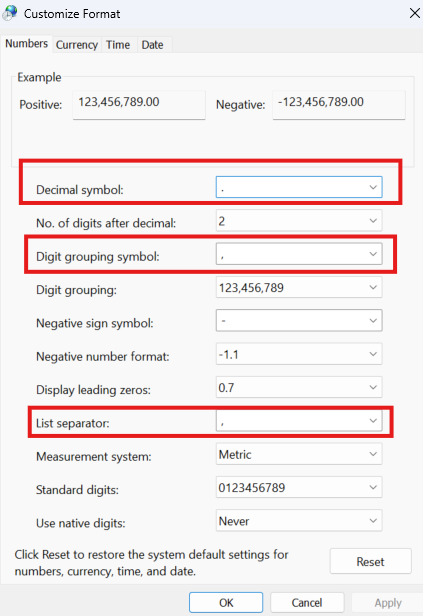
Then click on "Additional Settings".
Please ensure the following settings reflect:
Numbers:
- Decimal Symbol: Full Stop
- Digit Grouping Symbol: Comma
- List Separator: Comma
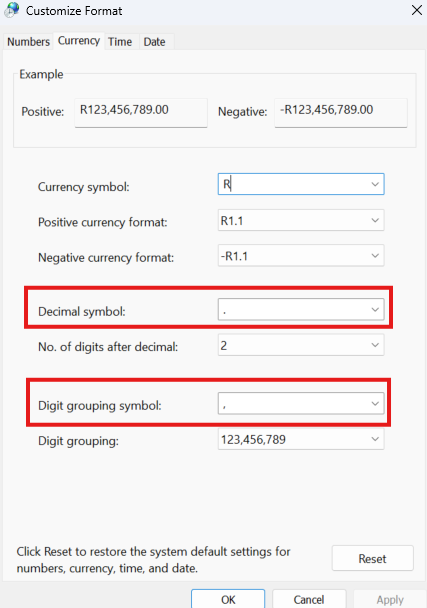
Currency:
- Decimal Symbol: Full Stop
- Digit Grouping Symbol: Comma
Please ensure you apply and click OK on all pages before closing.