The article outlines how Customer Buyers permissions are controlled in Sync B2B.
Sync support will need to set up your buyer roles in sync.
*Log a support ticket for further assistance.
Buyer roles will determine:
- which brands/ division buyers have permission to access in B2B
- if buyers have the ability to create and approve their own orders as well as delete orders
- if buyers can access presentations or only products
- if buyers can amend SO pricing
- if buyer can change the SO delivery method
- which reports buyers have access to
- which warehouse the buyers have access to
Once the roles have been configured B2B admin users can assign them to buyers.
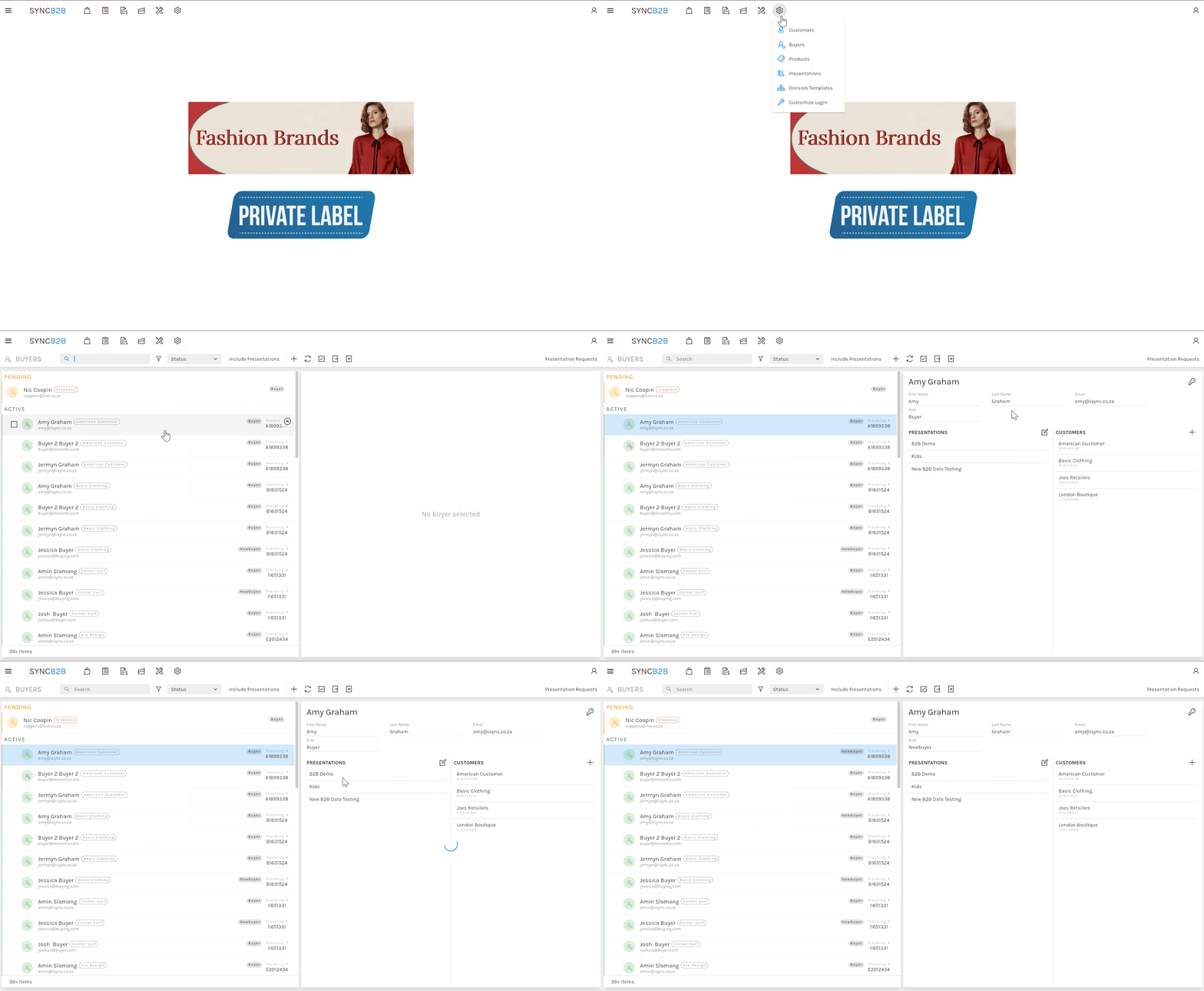
Customer buyer account's permissions are controlled through the Customer Buyer Admin which can be accessed by clicking Admin-> Buyers.
In this menu you can change a Customer Buyer's role and which presentation they are allowed to view.
Change a customer byers role:
- Navigate to Settings- Buyers and select the applicable customer buyer :
- Click the role field.
- Select the new role to be applied to the customer buyer.
Set the presentations the buyer has access to:
NB. For a quick tutorial watch below